01 · Supporting context
The test fixture passes a command to a subprocess with shell=True. The review identifies the risky call and explains the conditions that could make it exploitable.

Secuarden Code Intelligence · GitHub app
Find security risks, understand why they matter and review suggested fixes in your GitHub workflow—with context from your codebase.
A free plan is available through GitHub Marketplace.
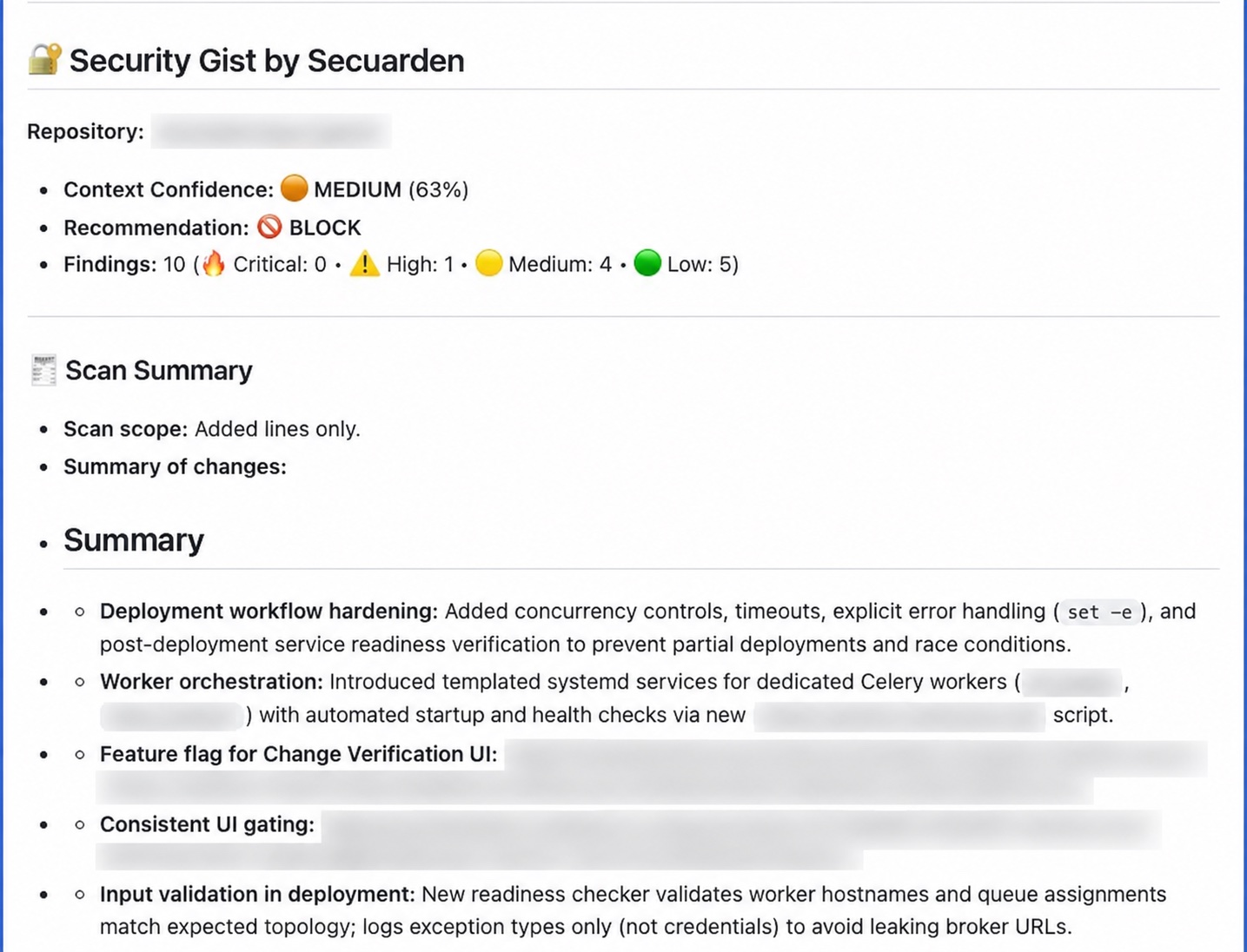
One finding, fully explained
See how a Secuarden review explains a shell-injection risk, recommends a safer subprocess call and gives the reviewer a next action.
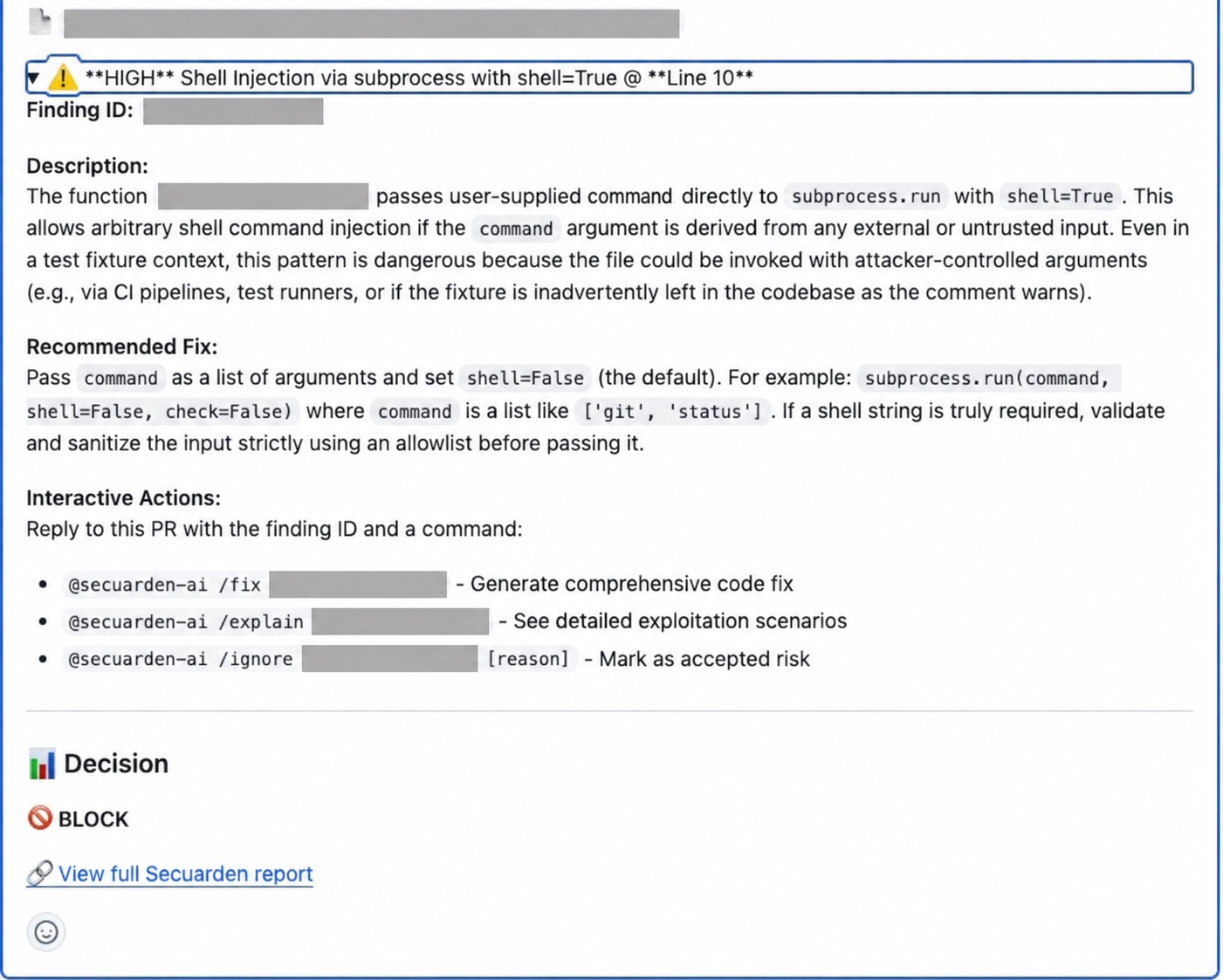
The test fixture passes a command to a subprocess with shell=True. The review identifies the risky call and explains the conditions that could make it exploitable.
If the command contains untrusted input, a shell can interpret it as instructions rather than ordinary arguments.
The review recommends passing a list of arguments with shell=False. The developer can evaluate the guidance, request a fix or explanation, or record a reason for ignoring the finding.
How it works
Choose the GitHub account or organisation where you want to use Secuarden.
Complete onboarding and select the repositories you want analysed.
Inspect risks alongside explanations and the repository context supporting them.
Review suggested remediation, test the change and make the merge decision.
Context behind the finding
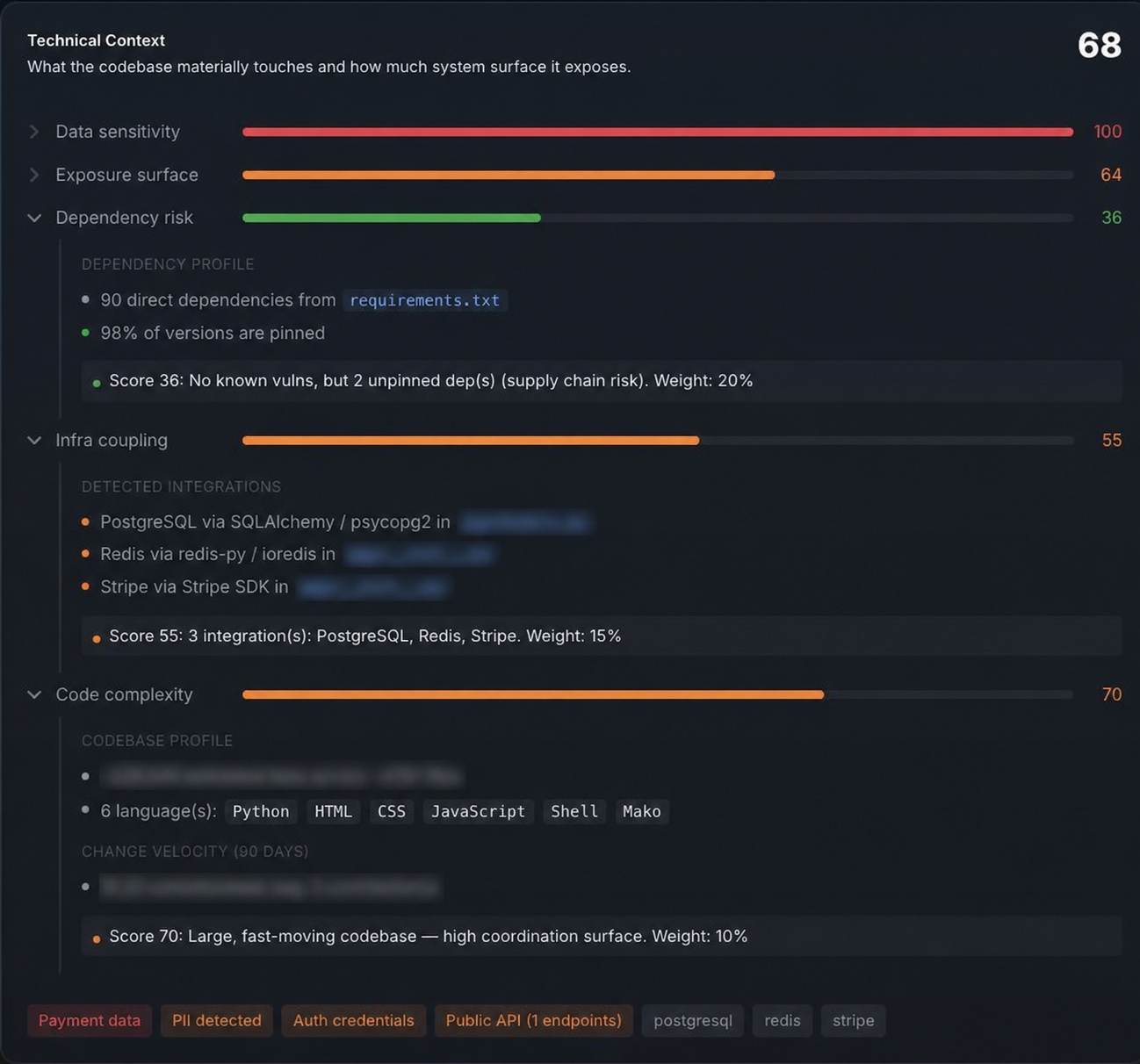
Repository signals reveal languages, dependencies and integrations that help reviewers interpret a finding.
See the languages and codebase characteristics surrounding the change.
Inspect dependency pinning and detected connections to databases, services and payment libraries.
Expand technical signals to inspect their supporting details, then use that context alongside the finding’s explanation.
From findings to action
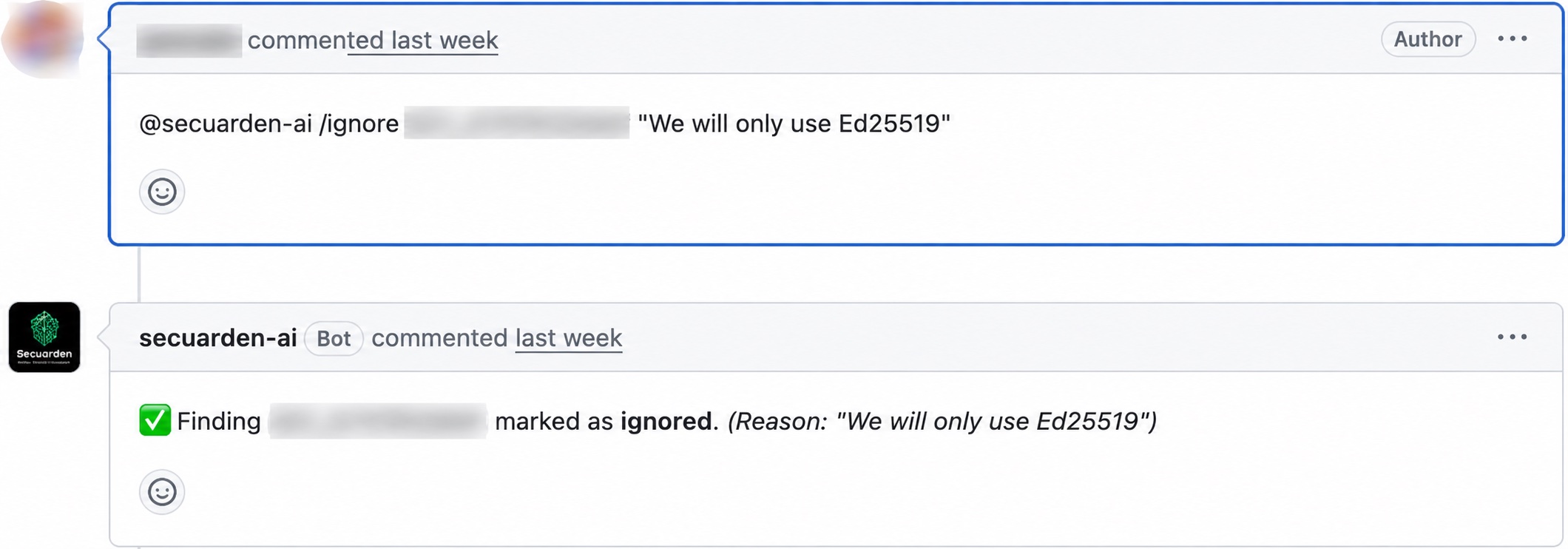
Work through inline feedback, understand the explanation and evaluate a suggested fix in the context of the change.
Use repository insights and downloadable reports to organise review and discuss findings with the teams responsible for the code.
Start with GitHub
Explore the free plan and current scan allowances on GitHub Marketplace.
Review the requested repository permissions during installation and confirm your organisation’s data-handling requirements before enabling analysis.
Languages listed in the Marketplace’s supported-language section:
Extend to Change Assurance
When you need to understand how AI participated in a change, explore the Change Ledger, policy controls and Context BOM. Available evidence depends on the integrations and agent activity captured in your workflow.
Before you connect
Code Intelligence evaluates code risks. That question is separate from identifying whether an AI agent contributed to the change; lineage is part of Change Assurance.
No. The public activity scanner examines commit metadata and AI attribution signals. Code Intelligence is the GitHub app for contextual code analysis and PR feedback.
This product provides remediation guidance for review. Treat suggested changes as code that needs validation, tests and the appropriate human approval.
Confirm repository access, retention, model-provider handling and organisational requirements before enabling private code analysis. Contact the team for your deployment’s details and review the app’s requested GitHub permissions.
A scan result is one input to review. Compliance and change assurance also depend on applicable requirements, evidence, approvals and other controls.
Secuarden Code Intelligence
Start with a repository. Bring code context, security findings and remediation guidance into the conversation.